Showing posts with label Graphics. Show all posts

Wednesday, 25 December 2013

Posted by Haxor On 00:18

How to Get a Virtual Online Computer

Salam From Haxor Farhan :)


how to get virtual online computer

1) Go to cloudo and click sigup

2) Fill in the your information to complete sigup :P


  3) After sigup up,you 'll be directly logged to your virtural   compture                                                                                                              


4) as you can see in the picture above the computer is ready tu use ans it's tittalt yours.                                 
5) here is the start menu and you can see what see wahat you can di with   it                                                                                                                          

 Done And Enjoy :P
Ager koye be problum hu tu Comment Zaror karna 
My Facebook Acount 
 (https://www.facebook.com/Dude.thinker)



Monday, 23 December 2013

Posted by Haxor On 22:51

Make Your Own Animation


Salam From Haxor Farhan

You would like to make your own animation, but you don’t have a pen and a flip book near by? You don’t need them either. One of  these 10 cool websites will do the work

1)GoAnimate

This site offers a set of backgrounds and characters. Characters have a set of prepared actions and facial expressions. There are also some prepared animation templates. You can add up to 4 audio tracks. You can write down the text to be pronounced, record voice using a microphone or upload a file. You need no absolutely technical nor animation skills to create your animation.


2)Dvolver

On this site you create animations in 6 simple steps. You choose your background, characters and one of four plots; type in some dialog; choose some music; and — voila! — you have an animated movie. Despite the extremely limited customization options, it’s actually not a bad looking cartoon.


3)Sketchstar

This is actually a game hosted on Miniclip. You can create whatever drawing you want frame by frame. The tool is very simple to use. A disadvantage is lack of possibility of using audio.


4)Picasion

This website creates animated GIFs from a sequence of pictures. You just upload your pictures and the system creates the animated GIF for you.


5)Gifpal

This site also creates animated gifs, but here you can also use your webcam to create pictures.

6)Make it share it

On this site you can easily create your animation frame by frame. You can save it and send your link or embed it on your blog or website. No sign up is required.


7)Loxia Studio

On this site you can easily create animations from the photos you upload. There are numerous 3D effects available.


8)Voki

This website allows you to create your animated character, add your voice and share the animation.


9)Zimmer Twins

On this site you combine predefined characters and scenes into an animation.

10)Photofunny

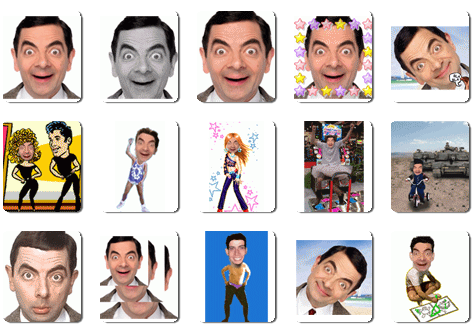
This site allows you to upload your photos and make funny animations from them.


Posted by Haxor On 22:21

Turn Your Desktop in 3D (windows xp, and 7)


Salam From Haxor Rg &Mr-Crack sona Monda & Muzi Virux
======================

Change Your Desktop in 3D 
These are all small things Jo ap kY desktop Ko Change Kar skti hy Han Or more desirable, cutom and geared to our own interests ! 

 SphereXP ShphereXP is  world's number one 3-dimensional desktop for windows xp =)


YODM 3D- Virtual Desktop Manager featuring the Cube 3D effect, really awesone effect


Matodateconvert your desktop in a 3D and make it very impressive !


Shock 4Way3D  : Multiwindows and mirror effects 


Wednesday, 27 November 2013

Posted by Haxor On 02:05